Crypto Ledger for Beginners introduces new cryptocurrency holders to hardware wallet security through a simplified approach that builds understanding step by step. Hardware wallets represent the safest method for storing cryptocurrency private keys, keeping them isolated from internet-connected devices where hackers and malware operate. First-time users often feel overwhelmed by unfamiliar terminology and procedures, but the actual setup process is straightforward when approached methodically.
Beginner Crypto Ledger Guide content addresses the specific questions and concerns that new users face. The hardware wallet concept may seem complex initially, but the core principle is simple: keep private keys offline where remote attackers cannot reach them. This page provides everything beginners need to understand hardware wallet security and complete their first setup successfully.
Crypto Ledger Basics for Beginners

Crypto Ledger for beginners starts with understanding what the device actually does. A hardware wallet is a specialized electronic device that generates and stores private keys inside a secure chip. These private keys control access to cryptocurrency on blockchain networks. Unlike software wallets that store keys on computers or phones, hardware wallets keep keys in an isolated environment that malware cannot access.
The relationship between components works as follows:
- The hardware wallet stores private keys and signs transactions
- The companion application (Ledger Live) provides the user interface and network connection
- Blockchain networks hold the actual cryptocurrency assets
- The recovery phrase backs up all keys for emergency restoration
Beginners should understand that cryptocurrency never actually enters the hardware wallet. The device holds only the keys that authorize transactions. Assets remain on their respective blockchain networks, accessible only to whoever controls the corresponding private keys.
What Beginners Should Know First
Crypto Ledger basics that every new user must grasp before starting:
- Private keys equal ownership: Whoever has the private keys controls the cryptocurrency. The hardware wallet protects these keys from theft.
- Recovery phrase is the ultimate backup: The 24-word phrase generated during setup can restore all accounts if the device is lost or damaged. Losing this phrase means losing access permanently.
- No account registration required: Hardware wallets work without creating accounts, providing email addresses, or identity verification. This differs from cryptocurrency exchanges.
- Transactions are irreversible: Once confirmed, cryptocurrency transfers cannot be cancelled or reversed. Verification before confirmation is essential.
- Hardware wallet is not an exchange: The device stores keys but does not buy or sell cryptocurrency. Purchasing crypto requires separate exchange accounts.
Choosing Your First Ledger Device
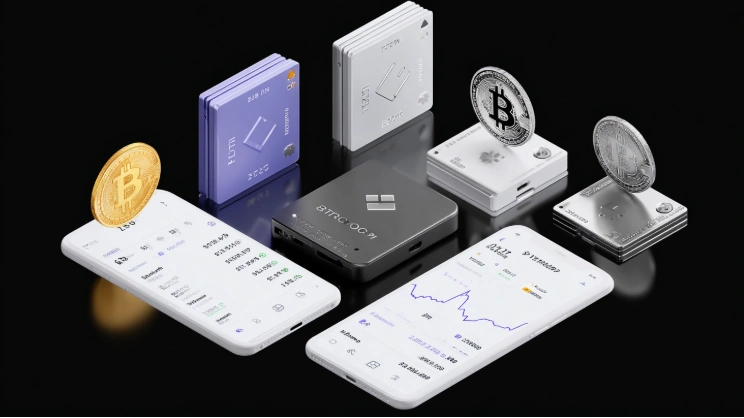
Beginner Crypto Ledger Guide recommendations for device selection depend on budget, platform preferences, and intended usage patterns. All current Ledger models provide identical security through the same secure element chip. Differences involve screen size, connectivity options, and form factor.
Entry-level users typically choose between two models:
| Feature | Nano S Plus | Nano X |
|---|---|---|
| Price | $79 | $149 |
| Screen | 128x64 monochrome | 128x64 monochrome |
| Bluetooth | No | Yes |
| Battery | No | Yes (100mAh) |
| Mobile Support | Android OTG only | iOS and Android |
| App Capacity | 100 apps | 100 apps |
| Best For | Desktop-only users | Mobile users |
The Nano S Plus suits beginners who primarily use desktop computers. The Nano X adds Bluetooth connectivity for mobile device pairing, making it ideal for users who want smartphone access.
Device Comparison for New Users
Crypto Ledger for beginners device selection considerations:
- Budget priority: Nano S Plus provides full security at the lowest price
- Mobile requirement: Nano X or premium models (Stax, Flex) required for iOS
- Future expansion: All models support the same 5,500+ cryptocurrencies
- Screen preference: Stax and Flex offer touchscreens for easier verification
- Backup device: Many users buy a second device for redundancy
Beginners should purchase directly from ledger.com or authorized resellers. Third-party sellers may distribute compromised devices pre-configured with attacker-known recovery phrases.
Step-by-Step Setup for First-Time Users
Crypto Ledger basics setup follows these steps for complete initialization:
- Unbox the device and verify tamper-evident seals are intact.
- Download the Ledger Live application from ledger.com for desktop or official app stores for mobile.
- Launch Ledger Live and select "Set up new device."
- Connect the hardware wallet via USB-C cable.
- Power on the device using the side button.
- Accept firmware updates when prompted.
- Create a PIN code (4-8 digits) on the device screen.
- Write down the 24-word recovery phrase displayed on the device.
- Confirm the phrase by selecting requested words.
- Complete the genuine check to verify device authenticity.
- Install cryptocurrency applications for assets to be managed.
- Create accounts to generate receiving addresses.
The entire process requires approximately 20-30 minutes. Rushing through recovery phrase recording creates serious risks, so beginners should allocate adequate time without interruptions.
Essential Concepts Every Beginner Must Understand
Beginner Crypto Ledger Guide essential knowledge includes:
- Cold storage: Keeping private keys offline, disconnected from internet threats
- Secure element: Certified chip designed specifically for cryptographic protection
- Transaction signing: Process where hardware wallet authorizes transfers using private keys
- Address verification: Confirming recipient addresses on hardware screen before sending
- Firmware updates: Security patches and improvements installed through Ledger Live
Understanding these concepts helps beginners use hardware wallets effectively and recognize potential security threats.
For first transaction guidance, see our Crypto Ledger First Transaction guide. For common pitfalls, visit Crypto Ledger Beginner Mistakes.
Frequently Asked Questions
-
The initial setup requires following steps carefully, but daily usage is straightforward. The companion application provides intuitive interfaces for all common operations.
-
No specialized technical knowledge is required. Beginners can follow step-by-step guides to complete setup and manage cryptocurrency successfully.
-
Setup mistakes can create problems, but following official instructions prevents most issues. The recovery phrase protects against device loss or damage.
-
Most beginners become comfortable with basic operations within one or two sessions. Advanced features can be learned gradually as needed.
-
Starting directly with hardware wallets is recommended for serious cryptocurrency holdings. Software wallets have higher risk profiles that hardware wallets avoid.
-
Three incorrect PIN attempts wipe the device. The recovery phrase restores access on a reset device. Without the phrase, access is permanently lost.
-
Yes. Ledger supports over 5,500 cryptocurrencies and tokens through installable applications. Beginners typically start with major assets like Bitcoin and Ethereum.